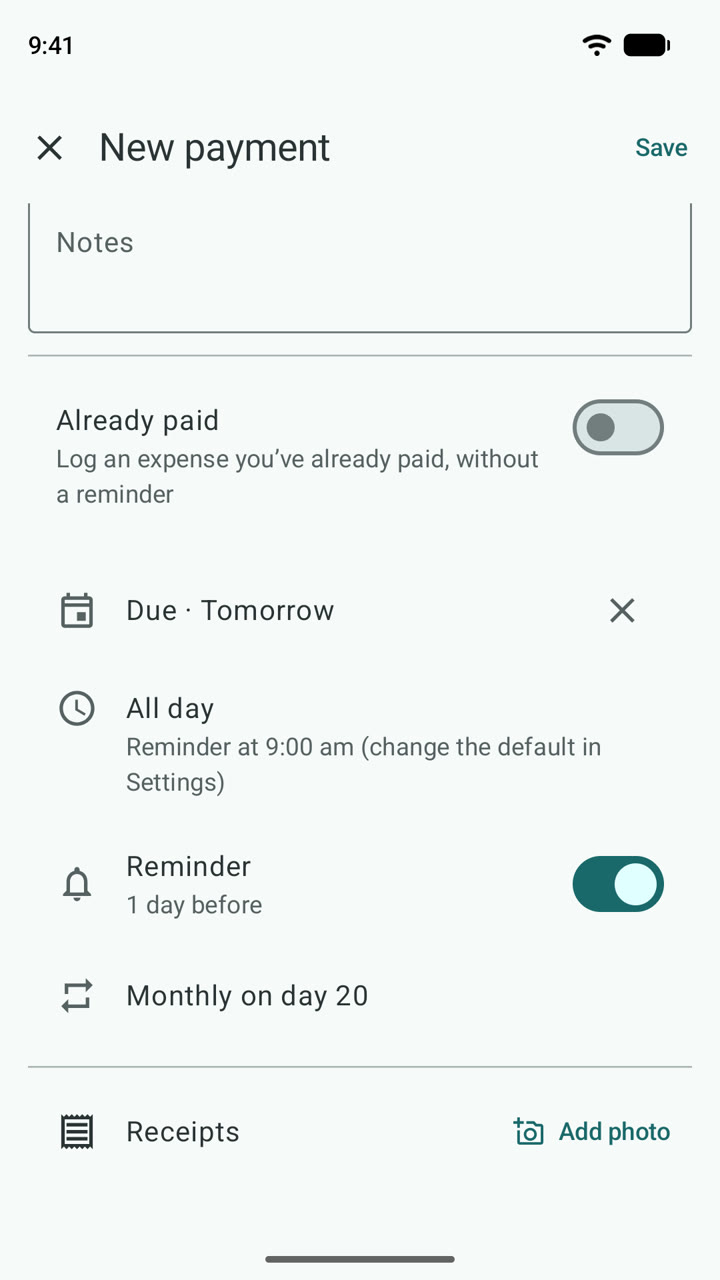
Add a bill
Type what it's for and how much. Pick a due date, when to remind you, and how often it repeats.
Get reminded before every bill is due, mark it paid in one tap, and see exactly where your money goes. No account, no sign-up – your data stays on your phone.
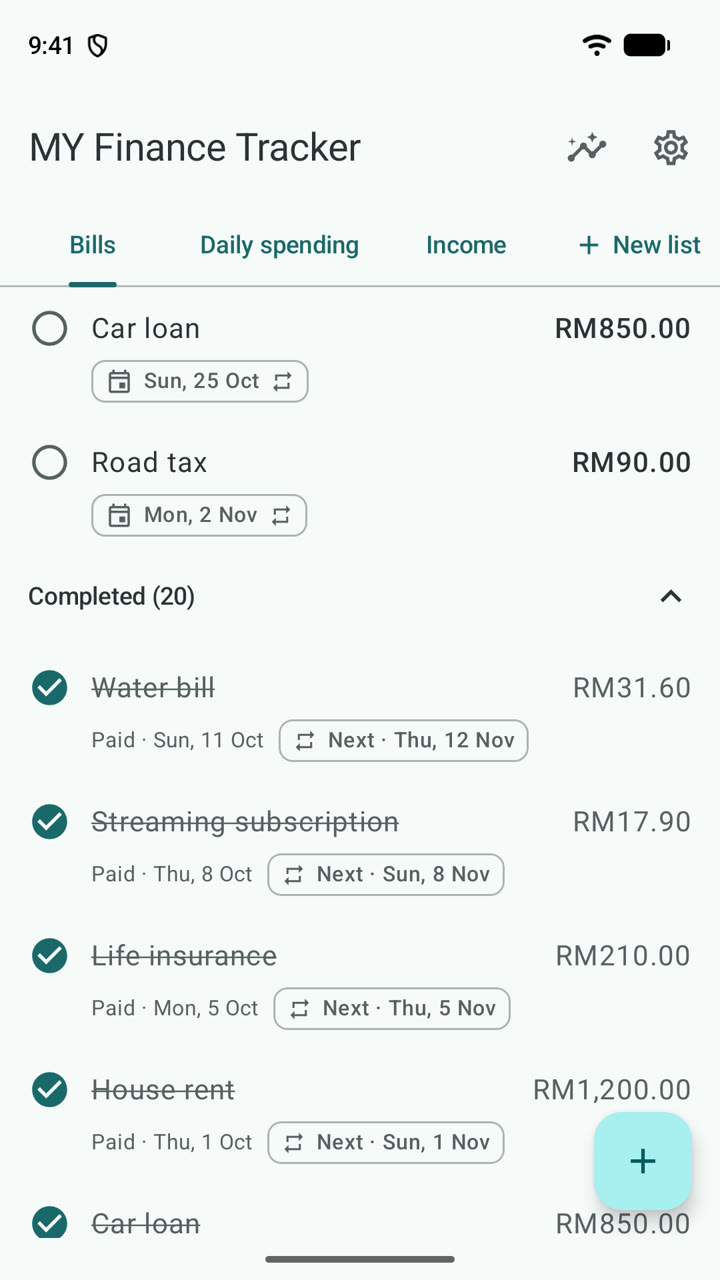
Add a bill, get reminded, mark it paid, and check your month – all real screens from the app.
It works like a to-do list for your payments: add them once, get reminded, tick them off.
Type what it's for and how much. Pick a due date, when to remind you, and how often it repeats.
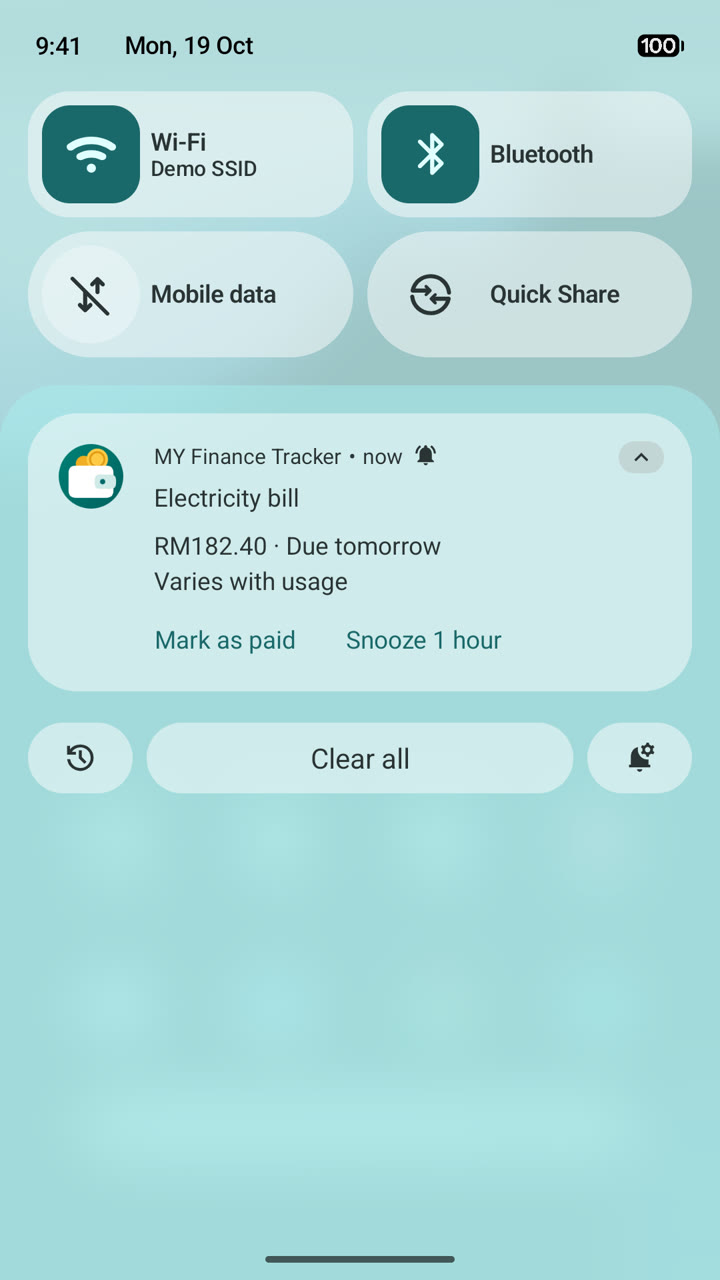
A notification arrives before the due date. Mark it paid right there, or snooze it for an hour.
Paid bills keep the date and amount. Repeating ones create the next bill for you, like Google Tasks.
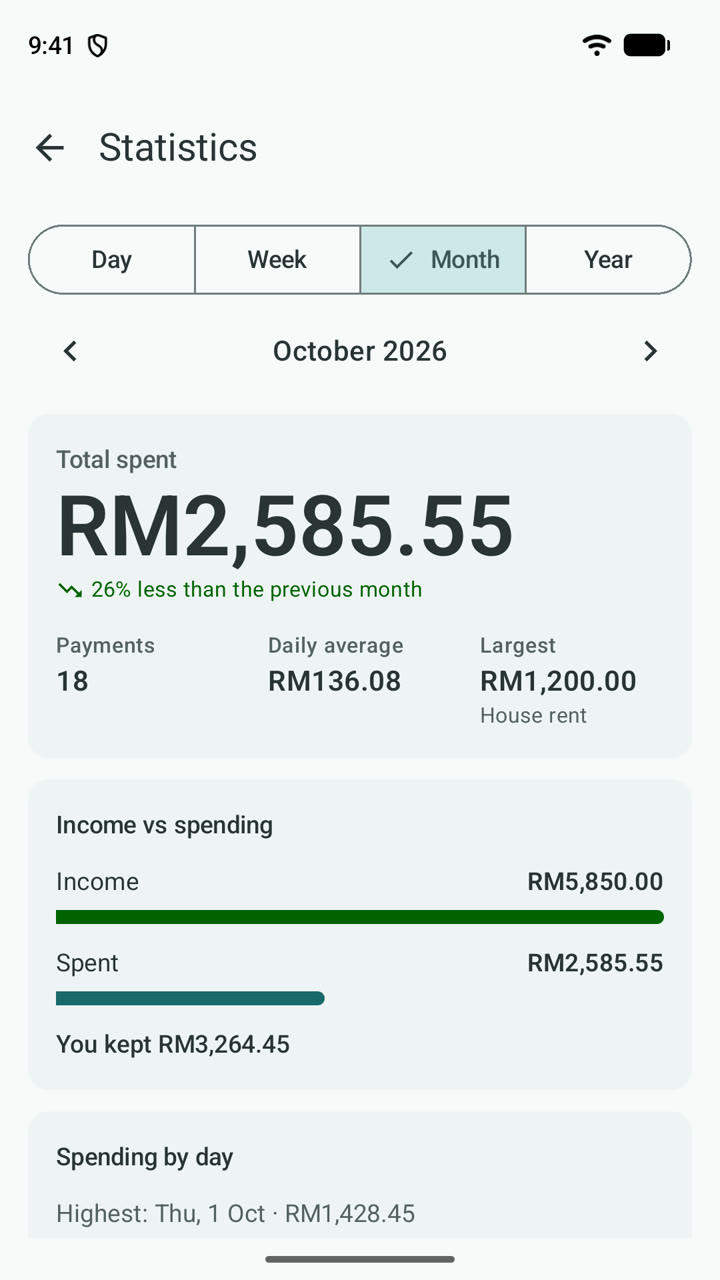
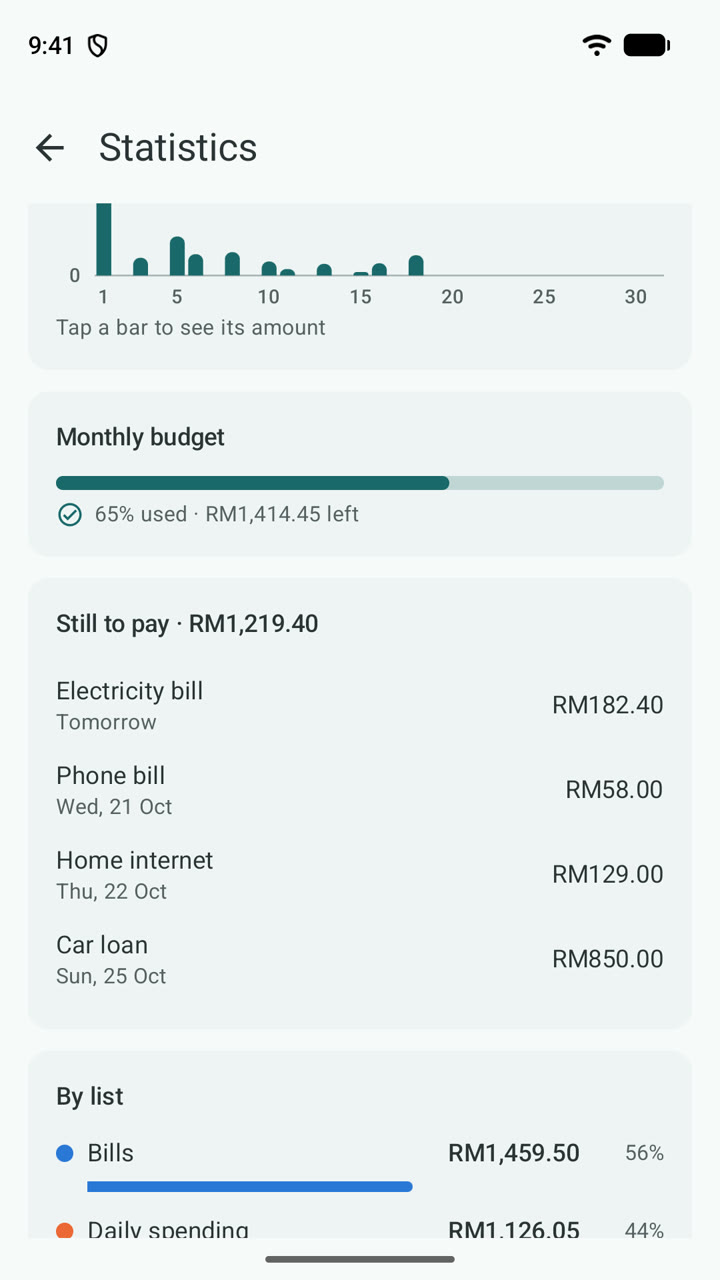
Statistics by day, week, month and year, with the change from the previous period – so you notice when spending creeps up.
Built for real monthly bills – the ones that repeat, change amount, or fall on the 31st.
Daily, weekly on chosen days, monthly, yearly or every few. A bill due on the 31st stays on each month's last day.
On the day or up to a week before, with the sound you choose. Mark paid or snooze from the notification, or get a nudge every day until it's paid.
Log your salary, side jobs and refunds – even repeating ones – and see what's left after spending.
Snap or pick a photo for any payment. Photos are shrunk, turned upright and kept privately in the app.
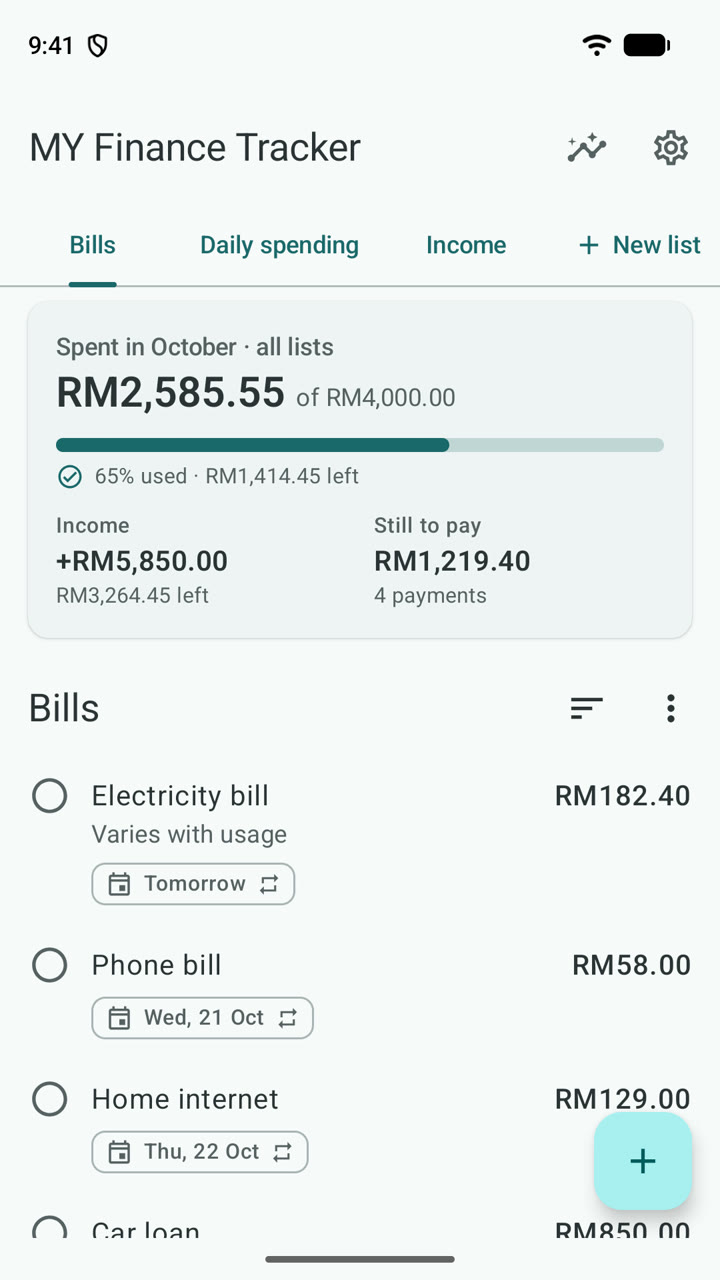
This month's spending and your next bills at a glance. Tap the circle to mark one paid.
Set a budget and watch the meter. Get an alert when you reach the percentage you choose, and again at 100%.
Every currency in use, with the symbol people actually use: RM, Rp, ₱, ₹, ฿, €… Picked from your SIM on first run.
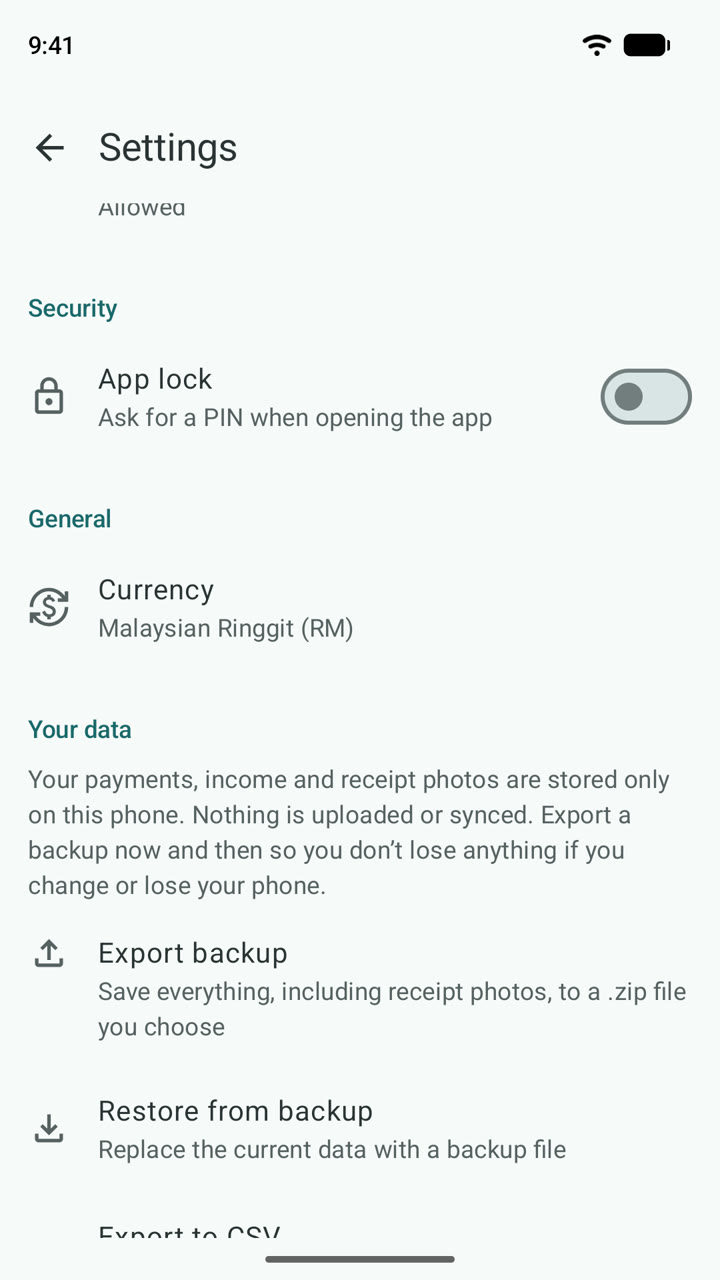
Save everything – data and photos – to one .zip file you keep. With Premium, export an Excel file with monthly and yearly totals and your receipt photos.
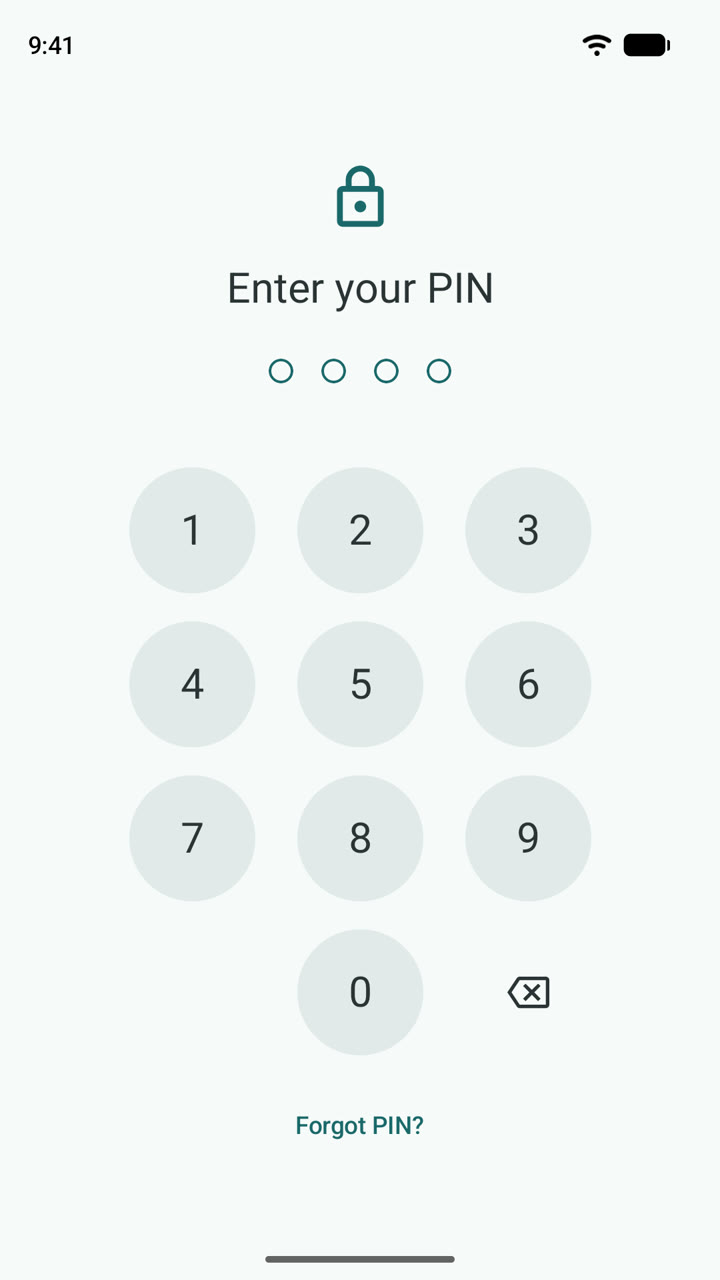
A 4–6 digit PIN with fingerprint or face unlock. With the lock on, amounts are hidden on the widget and in recent apps (Android 13+).
MY Finance Tracker has no servers and no accounts. Your payments, income and receipt photos are stored only on your phone, and they're kept out of Android's cloud backup. When you want a copy, you save it to a file you choose.
The free version shows small ads from Google AdMob, which collects some device information to show them. See the privacy policy for exactly what that means.
Everything you need for your bills is free. Premium removes the ads and adds Excel export – paid once, no subscription.
Bills, reminders and statistics, with a small banner ad
A single purchase in Google Play – no subscription
Yes. Bills, reminders, statistics, the widget and backup are all free, with no subscription. The free version shows a small banner ad; Premium, a one-time purchase in the app, removes it and adds Excel export.
No. It reminds you before a bill is due and keeps a record when you mark it paid. You still pay through your bank or the company as usual – the app never touches your money or bank accounts.
No. Everything you enter stays in the app's private storage on your phone. There are no accounts and no servers. The only network use is the ad SDK and Google Play billing – see the privacy policy.
Go to Settings → Your data → Export backup to save one .zip file with all your data and receipt photos, then restore it on the new phone. Android's direct phone-to-phone transfer during setup also works.
Every currency in use worldwide, with the right symbol and decimals. The app is in English and Bahasa Melayu, and dates and numbers follow your phone's settings.
Android 8.0 or newer.
Email admin@amirazman.my. Suggestions are welcome.
Free on Google Play. No account needed.